

MES vs. SCADA: What's the Difference and Does Your Plant Need Both?
SCADA and MES solve different problems. SCADA supervises and collects data from equipment in real time. MES manages how production is executed: which order runs, with what material, to what quality, and with what record. Many plants need both, but not all of them, and not always at the same time. Confusion is common because both systems display production data, both talk to PLCs, and some platforms offer both. The sections below separate the roles and give you a practical way to decide.
What Is SCADA?
SCADA stands for Supervisory Control and Data Acquisition. It is software that connects to PLCs and other controllers, collects live process data, shows it to operators on screens, raises alarms and records history. NIST treats SCADA as one category of industrial control system alongside distributed control systems and PLC-based configurations
In practice, SCADA answers equipment questions:
- Is the line running or stopped?
- What is the oven temperature right now?
- Which alarm fired, and when?
- What did this motor current look like over the last shift?
SCADA’s job is visibility and supervisory control of the process. It does not natively know which customer order is on the line or whether the batch meets specification.


What Is MES?
A manufacturing execution system (MES) is software that tracks, documents and manages production on the shop floor as it happens. It turns plans from the ERP into executed work and records what actually occurred
MES answers production questions:
- Which work order is running, and how far along is it?
- Which material lots went into this product?
- Did the product pass its quality checks?
- Why was the line down, and for how long?
The industry body MESA International described the scope of MES through its MESA-11 model of 11 core functions, which include scheduling, data collection, quality management, traceability and performance analysis . Sources disagree slightly on whether this was published in 1996 or 1997, so this article says only “the mid-1990s.”
Where Each System Sits: The Architecture
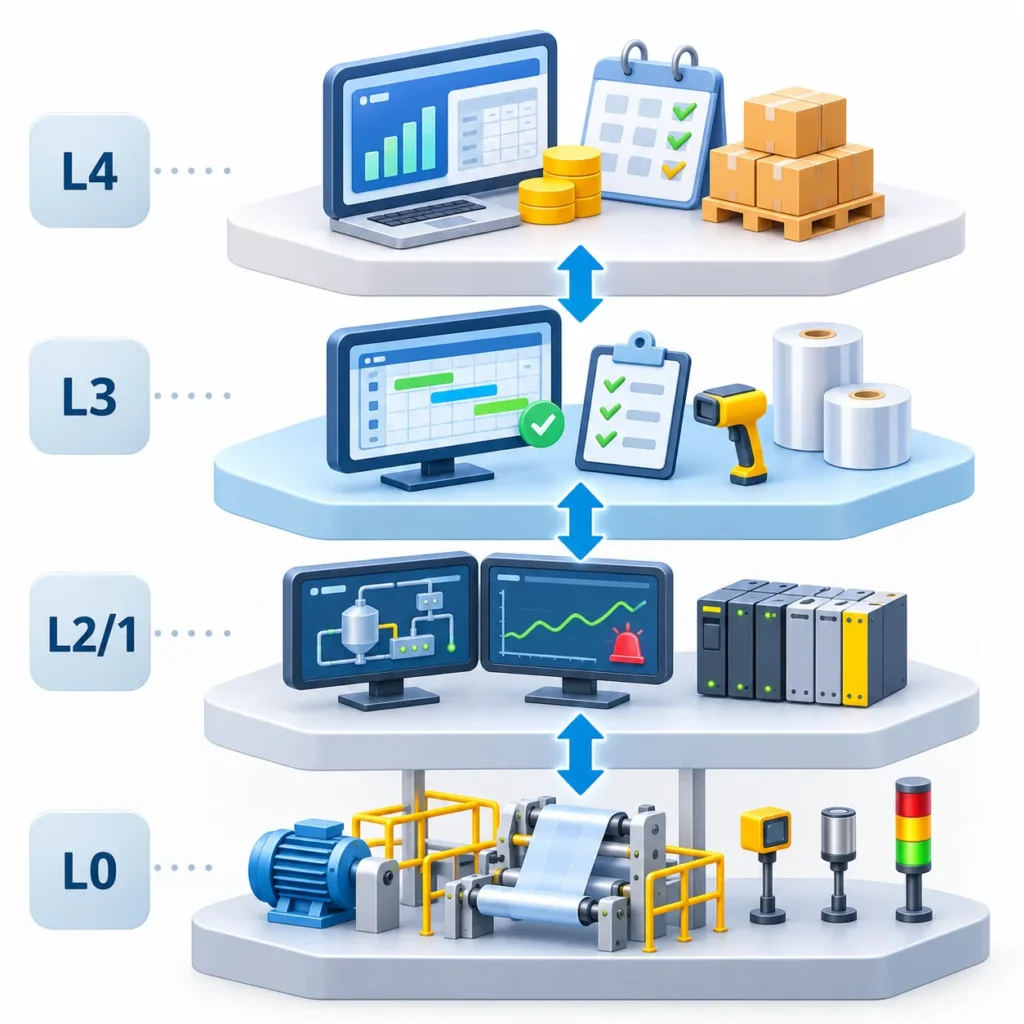
The ISA-95 standard (also known as IEC 62264) organizes manufacturing systems into levels and focuses mainly on the interface between business systems and operations
Fact: ISA-95 places MES at Level 3, between ERP planning and control systems [5].
Analysis: Texts differ on whether SCADA sits at Level 1, Level 2 or spans both. The safe reading is that SCADA lives in the control-and-supervision layers below MES, which is where this diagram puts it.
Each layer has a distinct job:
- PLCs execute control logic on the machine.
- SCADA gathers PLC data and gives operators supervisory visibility, typically over a protocol such as OPC UA.
- MES uses that machine data, adds order, material and quality context, and manages execution.
- ERP decides what should be built and when.
How SCADA and MES Exchange Data
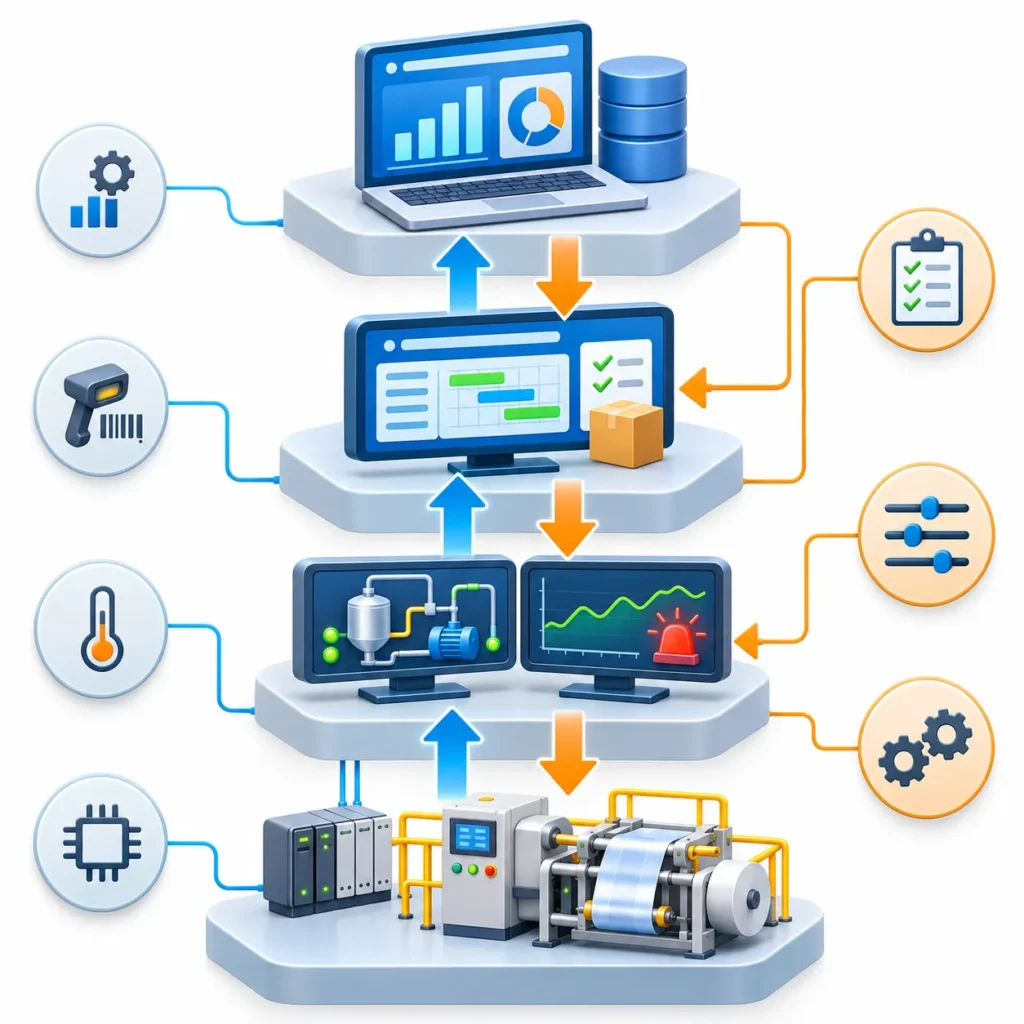
Data moves in both directions. Upward, SCADA or direct PLC connections pass machine states, counts and process values to the MES. The MES combines them with order and material context and reports results to the ERP, such as quantities produced and material consumed.
Downward, the ERP releases a production order to the MES. The MES selects the recipe or setpoints for that product and can pass them to the control layer, where the PLC applies them. A scanned lot number or an operator’s downtime reason enters at the MES level, while a temperature alarm originates at the SCADA level.
Keeping this flow clear matters. When teams skip it, the MES and SCADA often end up holding duplicate or conflicting versions of the same counts.
MES vs. SCADA: Side-by-Side Comparison
Aspect | SCADA | MES |
Primary role | Supervision and data acquisition | Production execution management |
Core question | “What is the equipment doing?” | “What is production doing, and is it right?” |
Typical data | Tags, states, alarms, trends | Orders, lots, quality results, downtime reasons |
Main users | Operators, controls engineers | Supervisors, quality, production planners |
Time focus | Real time and short history | Shift, order and batch level |
Connects down to | PLCs, RTUs, drives | SCADA, PLCs, scanners, operator terminals |
Connects up to | Historian, MES | ERP, quality and maintenance systems |
Typical output | Screens, alarms, trends | Work-order status, genealogy records, OEE |
Where SCADA and MES Overlap
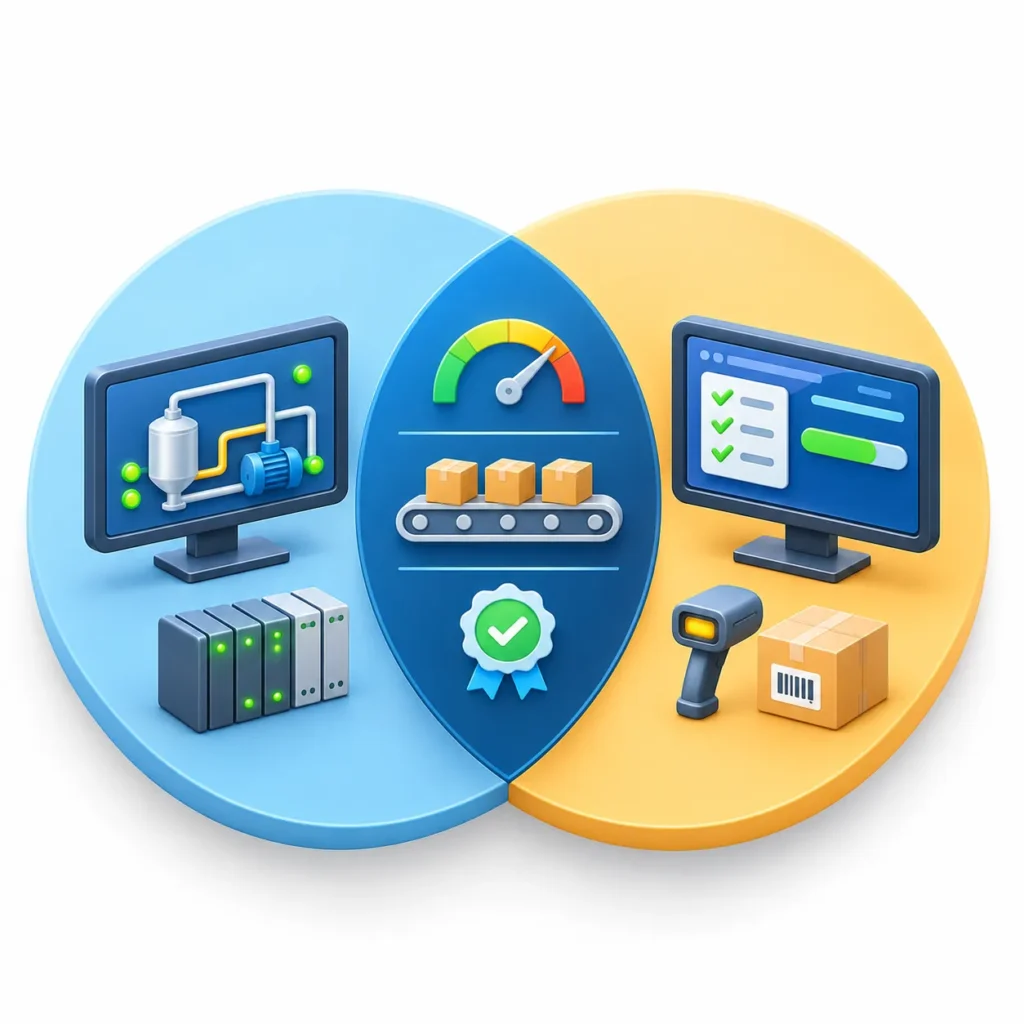
The overlap is real, and it explains most of the confusion.
- OEE and downtime: SCADA can capture machine state. MES typically adds the reason for downtime, the order being run and the loss categories.
- Production counts: SCADA sees counts from the PLC. MES links them to a work order and a product.
- Quality data: SCADA can trend process variables. MES ties results to a specific lot and pass/fail decision.
- Platforms: Some vendors package both on one platform. Inductive Automation’s documentation, for example, describes Ignition as a modular platform with HMI/SCADA and MES module layers, and lists Sepasoft’s MES modules for tracking OEE, SPC and resources as third-party modules [2]. One platform does not mean one function. The roles stay distinct even when the software is shared.
Example:
This is an illustrative example, not an INGSOL customer project.
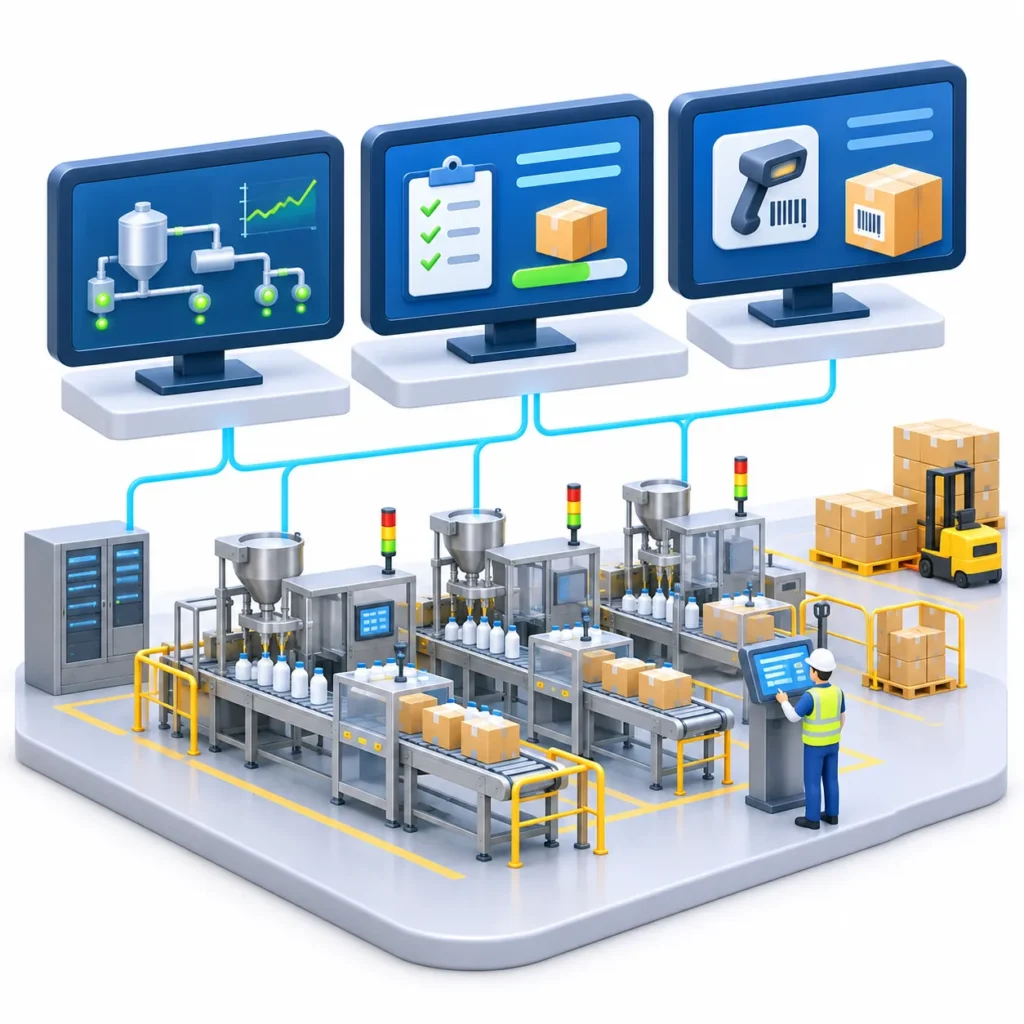
Scenario: A plant runs three filling-and-packing lines.
Stage 1: SCADA only. Operators see line status, alarms and trends. Managers can check whether a line is running, but downtime reasons are written on paper at shift end, and nobody can quickly say which material lot went into which pallet.
Stage 2: A downtime problem. The plant cannot explain why one line underperforms. SCADA shows when it stopped, not why in a structured way.
Stage 3: Adding MES functions. Operators select a downtime reason at the line. Production counts are linked to work orders. Lot numbers of film and product are scanned and recorded.
Result: The plant can see order progress live, rank downtime causes, and trace a lot after a complaint. SCADA still handles equipment visibility. MES now handles execution and records.
What changed technically: The PLCs still run the fillers and cappers. SCADA still reads their states and counts. The new element is the MES layer, which receives those signals, attaches the active work order and the scanned lot numbers, and keeps a record per order. When a customer reports a defect, the plant can search by lot instead of reviewing paper logs and trend charts for each shift.
Limit of the example: Real plants vary. A line with manual packing steps, multiple changeovers per shift or strict regulatory requirements will need more detail than this simple case shows
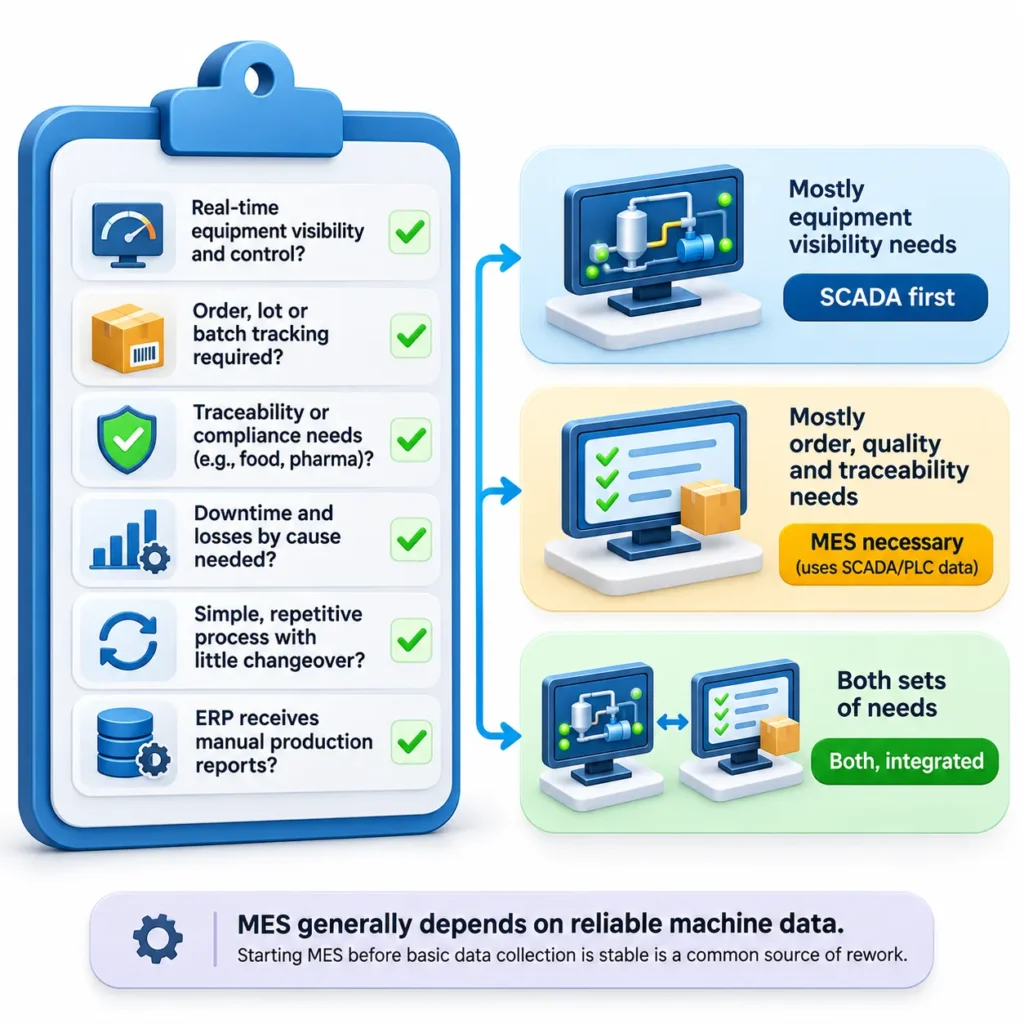
Does Your Plant Need Both? A Decision Framework
- Do you need to see and control equipment in real time? If yes, you need SCADA or an equivalent HMI/supervisory layer.
- Do you need to know which order, lot or batch each unit belongs to? If yes, you need MES-type functions.
- Are you subject to traceability or compliance requirements (food, pharma, automotive, medical)? If yes, structured execution records usually justify MES.
- Do you need to explain downtime and losses by cause? Raw machine states are not enough; reason capture and order context are MES territory.
- Do you run a simple, repetitive process with little changeover? SCADA plus a good historian and reporting may be sufficient.
- Does your ERP receive manual production reports? If delays and errors in those reports hurt planning, MES is the usual fix.
Benefits and Challenges of Running Both

Benefits
- Machine data and production context live in one connected view.
- Faster root-cause analysis for downtime and quality problems.
- Less manual transcription between the floor and the ERP.

Challenges
- Legacy equipment: Older PLCs may need gateways or retrofits to expose data.
- Data quality: Inconsistent tag naming and states undermine OEE and genealogy.
- Cybersecurity: Connecting OT and IT layers increases exposure; NIST SP 800-82r3 covers OT security safeguards [3].
- Adoption: MES depends on operators entering data correctly.
- Scope creep: MES projects that try to cover every function at once tend to stall; phasing helps.

A Practical Rollout Sequence
Plants that combine both systems successfully usually work in phases rather than all at once.
- Define the production questions. Write down what people cannot answer today, such as the cause of a line’s lost hours or the lots in a shipped pallet.
- Inventory machines and data. List which PLCs, sensors and protocols exist, which signals are available, and which machines need gateways or retrofits.
- Stabilize the supervisory layer. Standardize tag names, machine states and alarm handling in SCADA so the data feeding MES is consistent.
- Add one MES function at a time. Start with the function that answers the most painful question, for example downtime reasons or lot tracking, and prove it on one line.
- Integrate with ERP last. Once execution data is reliable, connect orders and confirmations so production reports no longer depend on manual entry.
This order is a practical engineering approach rather than a fixed standard, and the right sequence depends on the plant.
Common Mistakes to Avoid
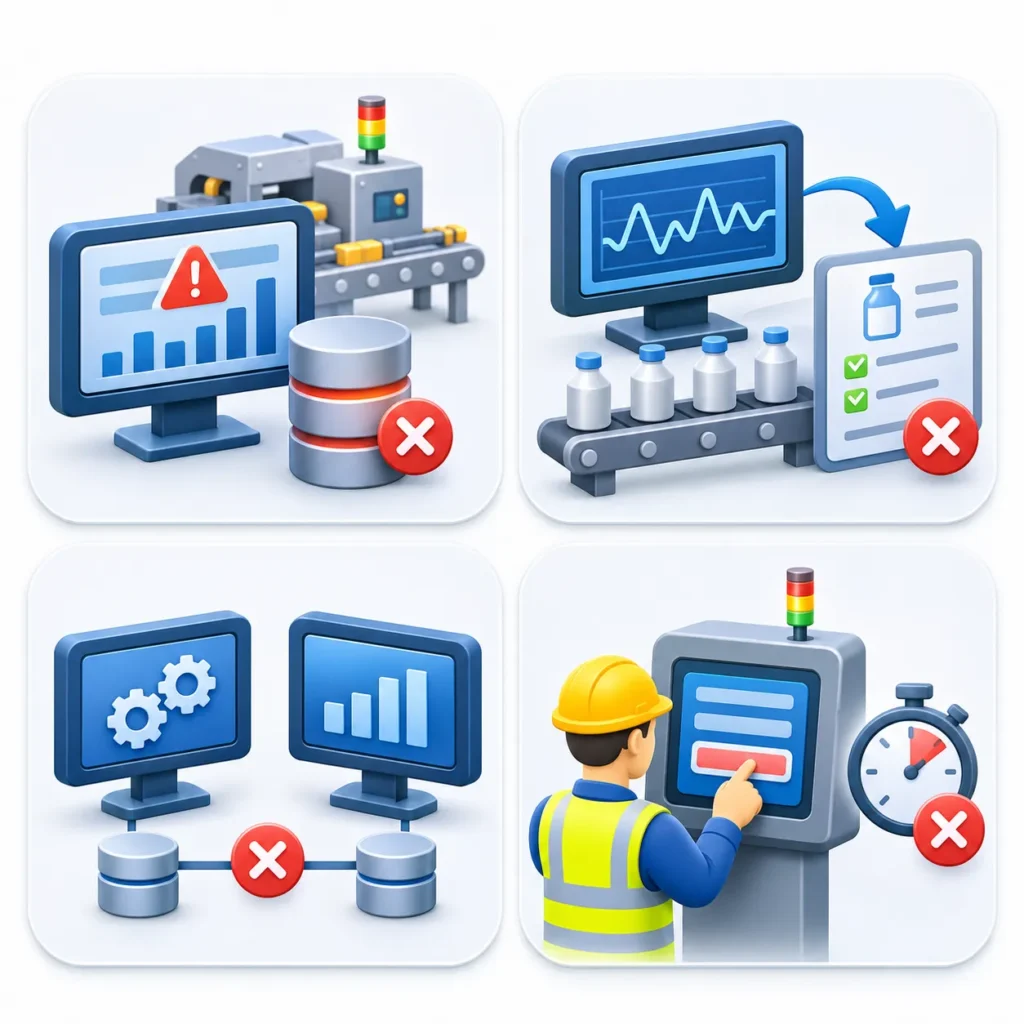
- Buying MES to fix a data problem. If machine signals are unreliable, MES will report unreliable results with more detail.
- Treating SCADA screens as production records. A trend chart shows what happened to a variable. It does not prove which batch it applied to.
- Duplicating logic in both systems. When counts or states are calculated in two places, the numbers eventually disagree. Decide which system owns each value.
- Ignoring operators. Both systems depend on the people at the line. If entering a downtime reason takes too long, the data will be incomplete.
Conclusion
SCADA tells you what the equipment is doing. MES tells you what production is doing and whether it is correct. A plant that only needs live visibility and alarms may be well served by SCADA alone, while a plant that must trace lots, enforce quality steps or explain losses by cause will eventually need MES-type functions on top of reliable machine data.
The practical starting point is to list your production questions, check which ones your current systems cannot answer, and then decide which layer is missing. That assessment should come before any software selection, and it is where an integration partner like INGSOL can add useful input.
Contact our MES SCADA specialists directly:
Email: sales@ingsol.com
Phone (India): +91 95608 11774
Phone (US): +1 347 570 2629
Our engineers will review your current setup and outline a practical upgrade path built for your plant.