

How to Reduce Unplanned Downtime with Ignition SCADA
Ignition SCADA reduces unplanned downtime by making failures visible sooner, routing the right alert to the right person, and keeping the data needed to find root causes and prevent repeats. It does not stop machines from failing. It shortens the time between a fault and an informed response, and it exposes the patterns behind recurring stops.
This article explains how that works in practice. It covers the architecture, the specific Ignition capabilities involved, a worked example, and the limits you should plan for.
Labeling note: statements about Ignition’s features are based on Inductive Automation’s documentation (see References). Scenarios marked “Example” are hypothetical illustrations, not INGSOL customer results.
What Is Unplanned Downtime, and Where Does SCADA Fit?
Unplanned downtime is any production stop that was not scheduled: a jam, a failed drive, a tripped interlock, a communication loss, or a missing material. Planned stops such as changeovers and scheduled maintenance are a separate category.
SCADA (Supervisory Control and Data Acquisition) sits above PLCs and machines. PLCs handle real-time control. SCADA collects their data, displays it to operators, raises alarms, and stores history. A system like Ignition does not replace the PLC’s control logic.
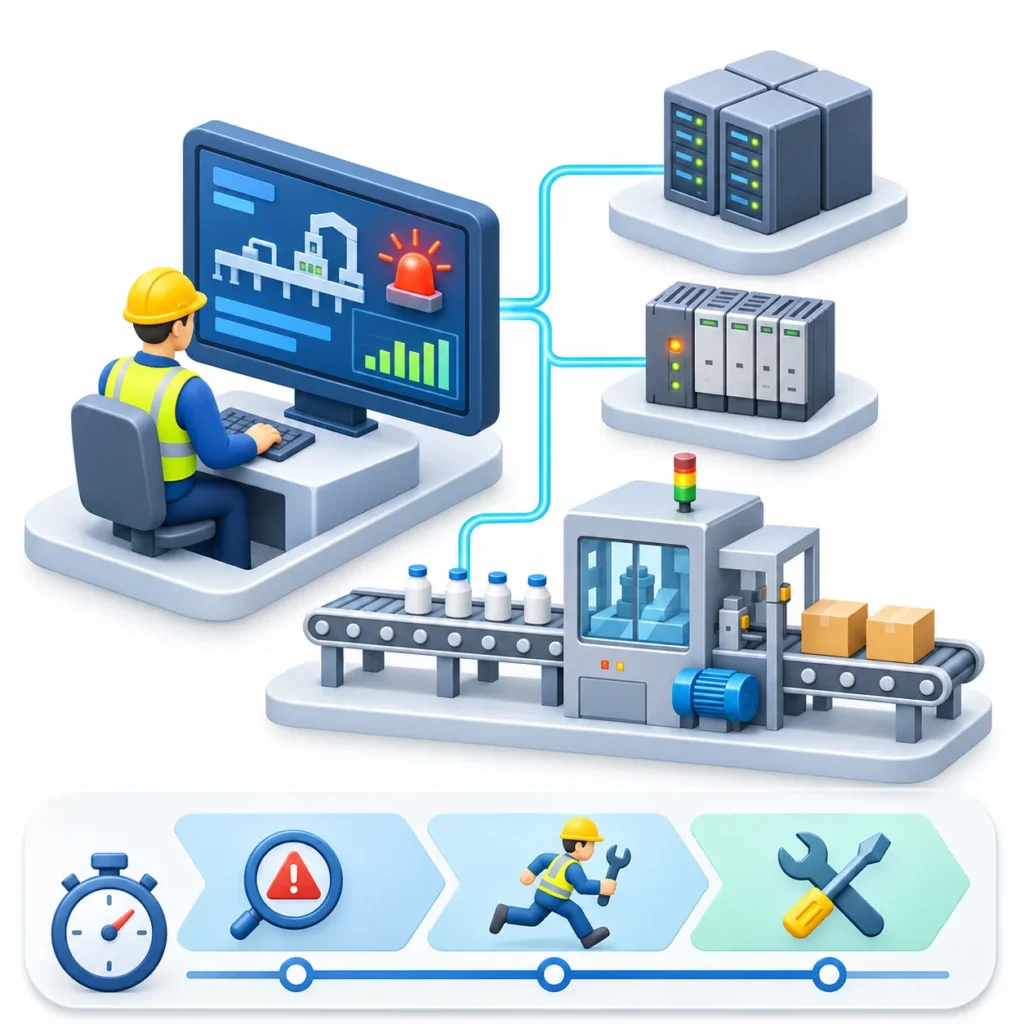
That role matters for downtime because the total length of a stop usually has three parts:
- Detection time: how long before someone knows something is wrong.
- Response time: how long before the right person starts working on it.
- Repair time: how long the actual fix takes.
SCADA has the most influence on the first two. It also supports the third by giving technicians history and context. It has the least influence on the physical repair itself.
How Ignition SCADA Is Structured
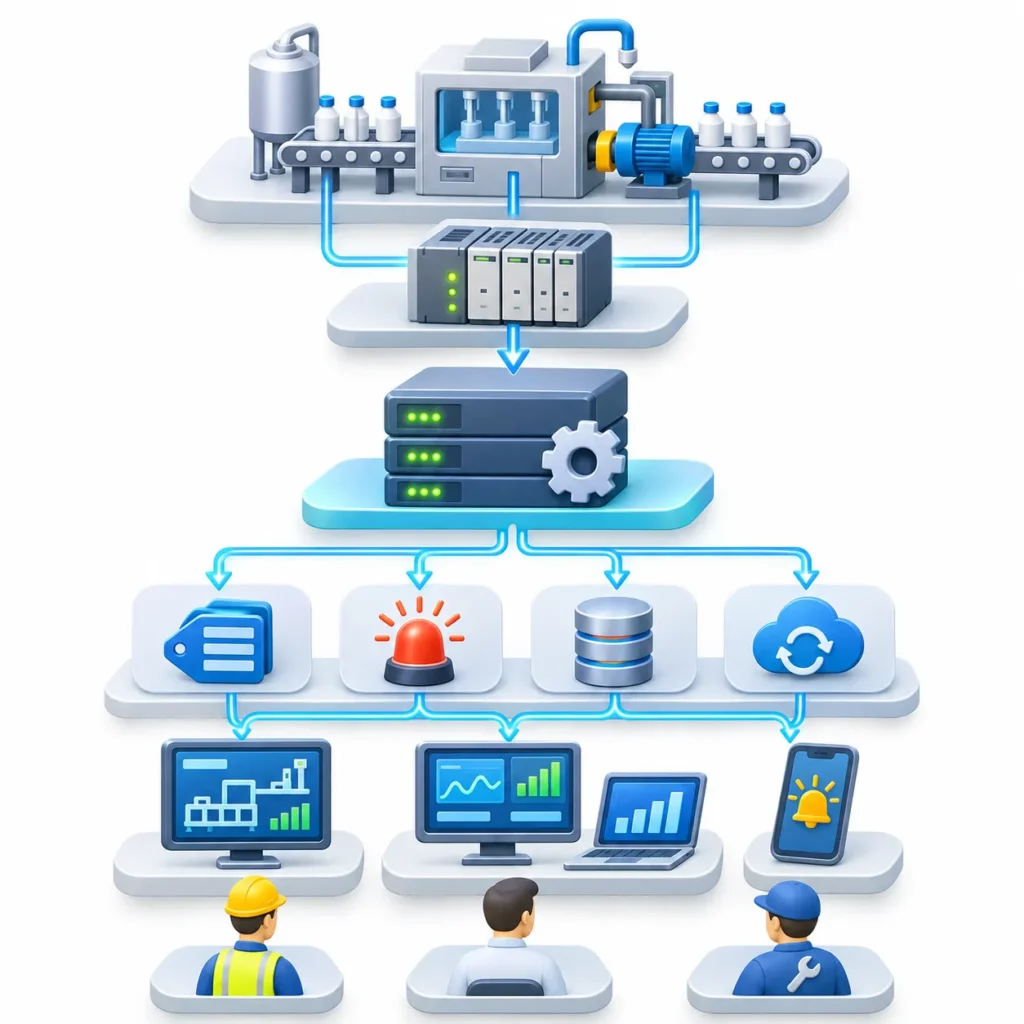
Ignition’s Gateway is the central server. According to Inductive Automation’s documentation, the Gateway is configured through a web interface covering areas such as OPC UA device connections, alarming (journal, notification, on-call rosters, schedules), tag history, and Store and Forward.
Each layer has a distinct job:
- PLC: controls the machine and holds raw states and faults.
- Device connection / OPC UA: moves that data into Ignition as tags.
- Gateway: evaluates alarms, runs notification logic, and writes history.
- Screens and notifications: put the information in front of people.
Downtime reduction comes from configuring the middle two layers well, not just building screens.
Five Practical Ways to Reduce Unplanned Downtime
1. Make Faults Visible in Seconds, Not Shifts
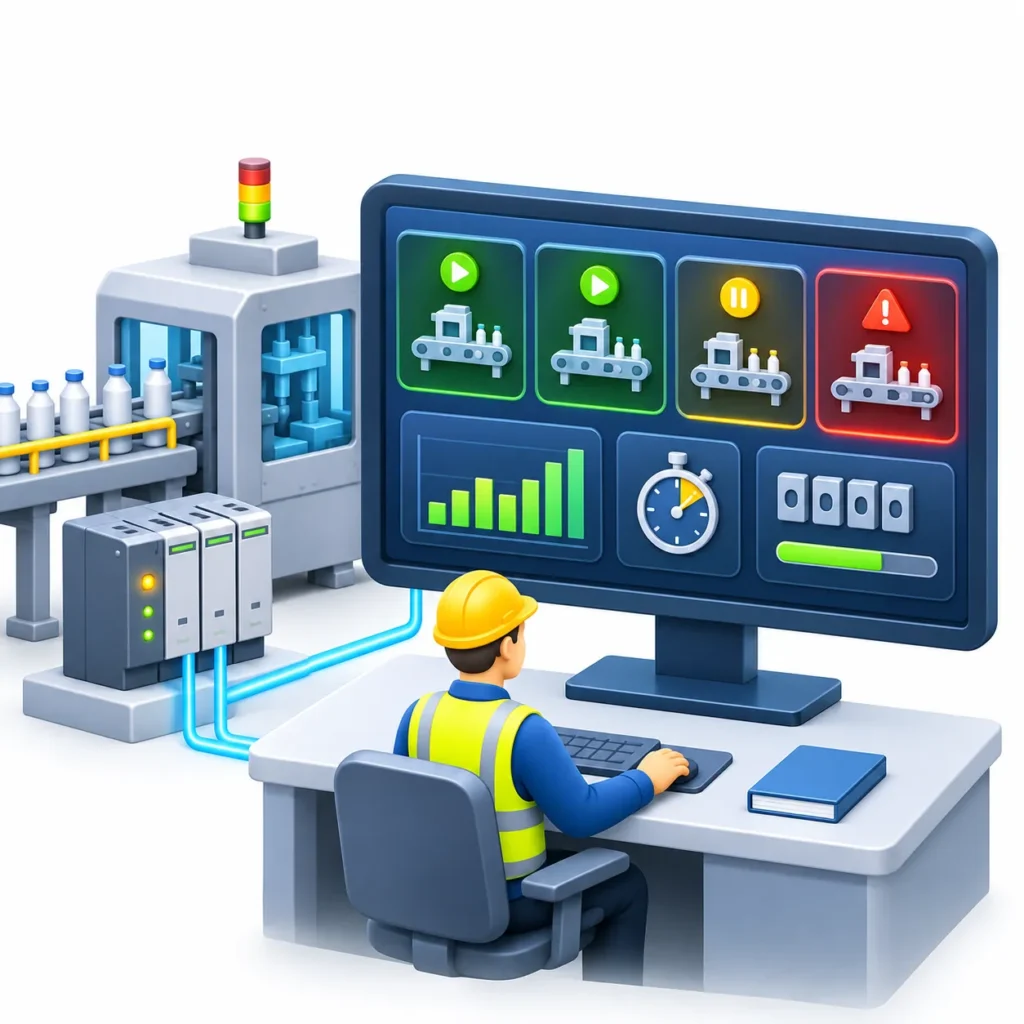
Many plants discover downtime when someone walks past a silent machine. A first step is bringing machine state, fault codes, and stop reasons from the PLC into tags and displaying them on an overview screen.
Useful tags for downtime work include:
- Running, idle, faulted, and e-stopped states
- Active fault code
- Production count (a stalled count often signals a problem before an alarm does)
- Cycle time against target
- Tag quality also matters. Ignition surfaces connection status for devices and OPC connections on its Gateway status pages, so a dead
2. Design Alarms So People Act on Them
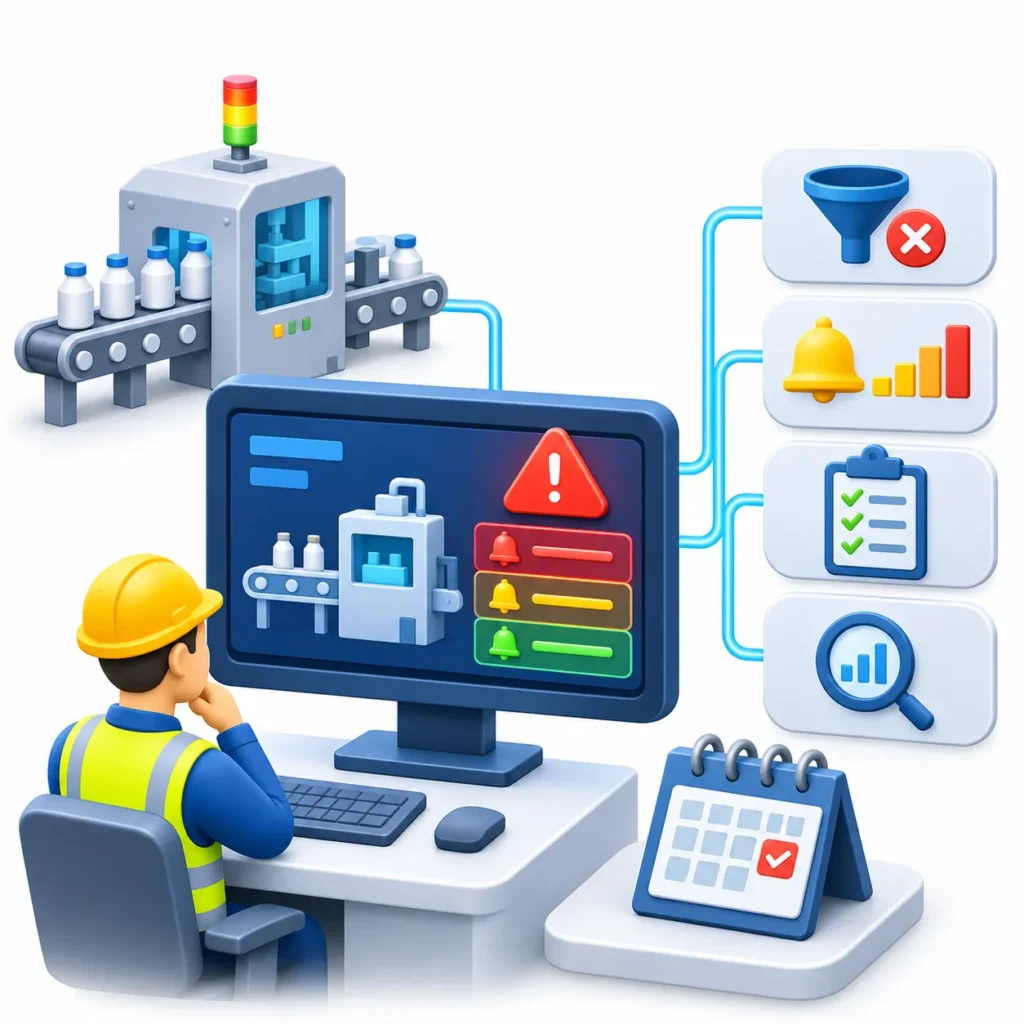
More alarms do not mean better detection. The ISA-18.2 alarm management standard defines an alarm as an indication requiring a response, and warns that alarm floods can prevent operators from acting on the important ones. A Control Engineering summary of the standard cites guidance of roughly one alarm per ten minutes on average as very likely acceptable, with about two per ten minutes as a maximum manageable level.
Treat those figures as reference points for operator-attended alarms, not as targets for every plant. Your own process type and staffing change what is workable.
A practical alarm cleanup follows the ISA-18.2 lifecycle ideas of rationalization and monitoring:
- Remove alarms that no one needs to respond to.
- Assign priorities by consequence (a line stop outranks a low oil warning).
- Document the expected response for each alarm.
- Review alarm frequency regularly and fix the worst offenders first.
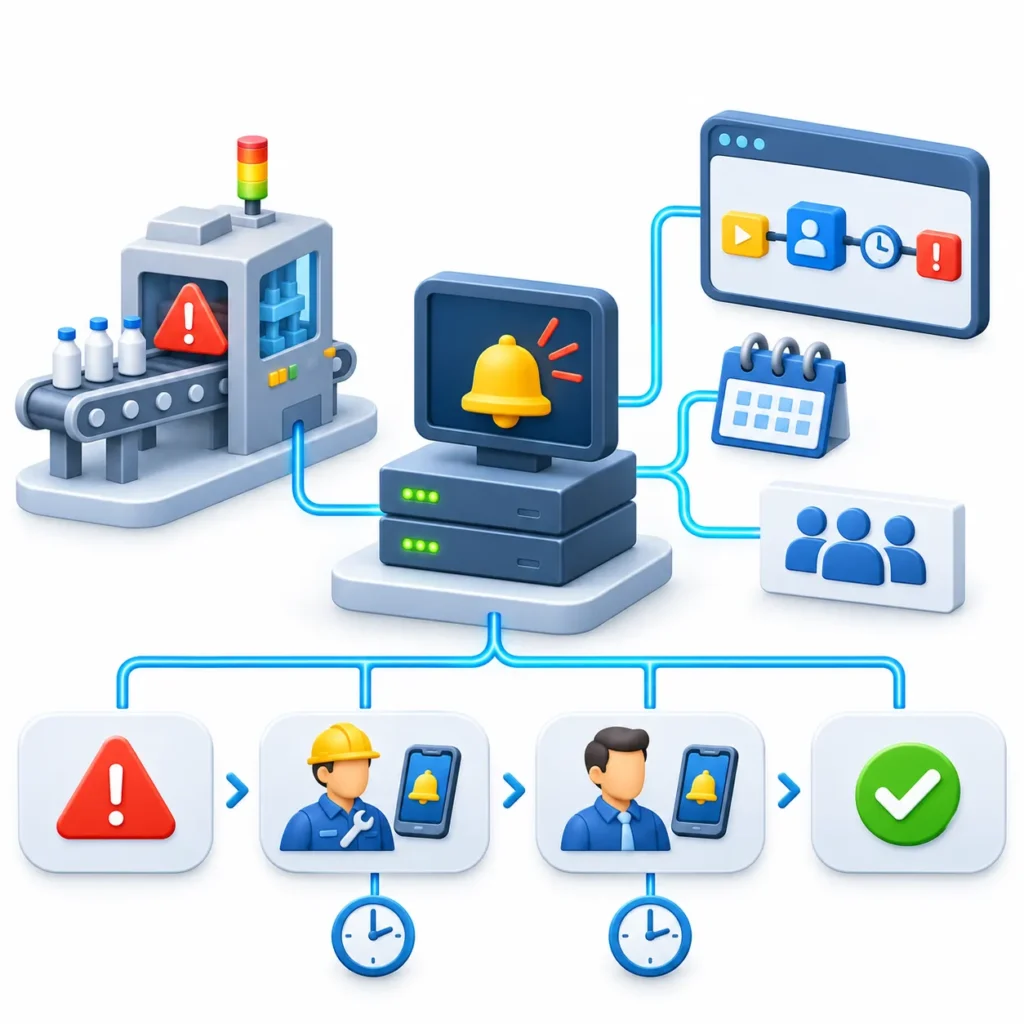
3. Route Notifications by Role, Schedule, and Escalation
Ignition’s Alarm Notification module sends messages to users when alarms become active, acknowledged, or cleared. It requires the module plus alarm pipelines and at least one configured notification profile, such as email or, with additional modules, SMS and voice.
Pipelines define the routing logic, including filtering and escalation. Schedules and on-call rosters let notifications reach whoever is on duty, so a supervisor is not woken for a minor event.
A practical downtime pipeline might work like this:
- A high-priority line-stop alarm goes active.
- The on-call maintenance technician is notified.
- If the alarm is not acknowledged within a set time, the notification escalates to the maintenance supervisor.
- When the alarm clears, a notification confirms recovery.
Two cautions. First, email and SMS depend on external services (an SMTP server, an SMS provider), so test them regularly. Ignition 8.3 includes a Test button in the Gateway for verifying notification setup. Second, alerts only help if someone owns the response, so define that ownership before configuring the technology.
4. Capture History So You Can Find Root Causes
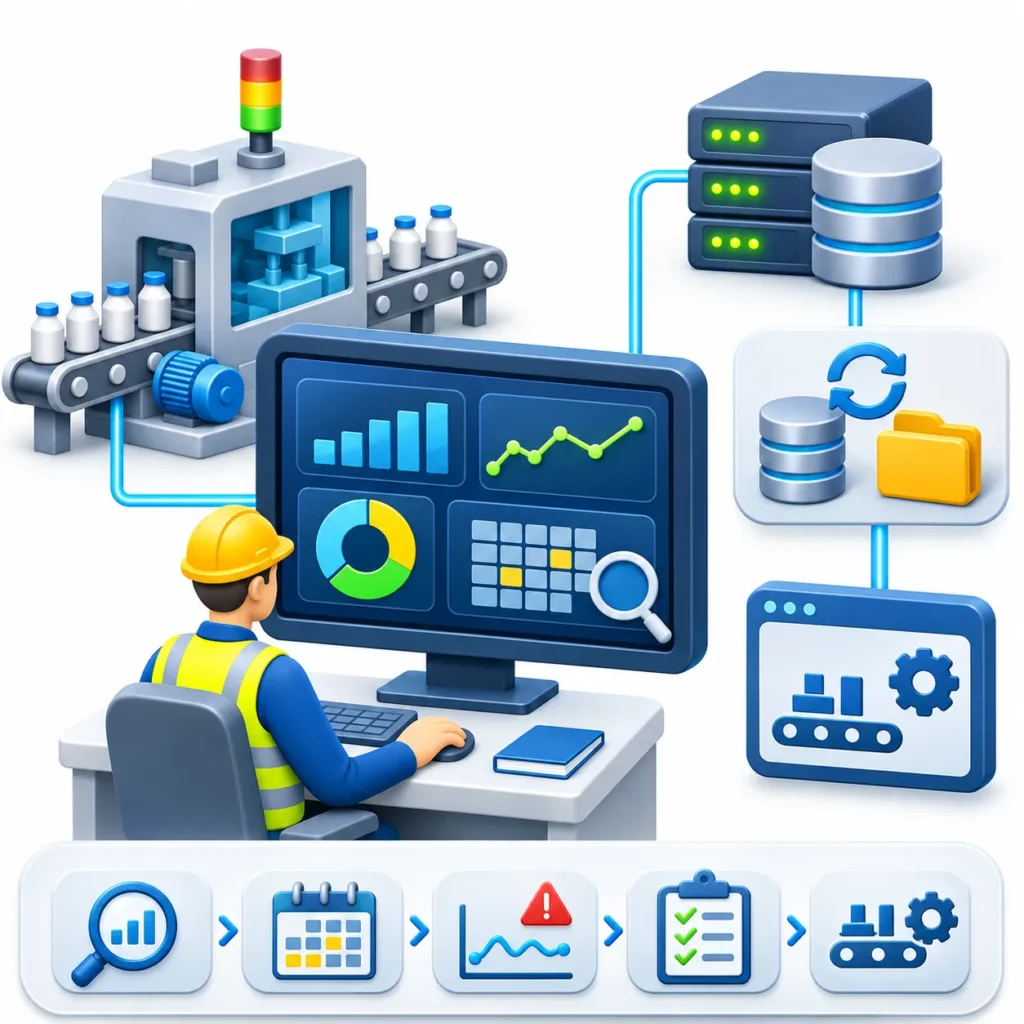
Reacting faster is only half the job. Recurring downtime is reduced by understanding why it recurs.
Ignition can store alarm events in an alarm journal and tag values in a historian through database connections. With that data you can answer questions such as:
- Which machine has the most stops per week?
- Which fault codes repeat on night shift but not day shift?
- Does a specific alarm usually appear shortly before a particular failure?
Here, Store and Forward matters. Inductive Automation describes it as a reliable way to store data to the database; if the database is briefly unavailable, history can be buffered rather than lost. That keeps your downtime record complete.
One limit to state plainly: SCADA data shows what happened and when. It usually cannot tell you why without operator input, so pair automatic fault data with a simple prompt for stop reasons where your process allows it. If you need full production context such as orders, OEE, and reason-code workflows, that is typically MES territory, which can be built on top of the same data.
5. Reduce the Risk of the SCADA System Itself Failing
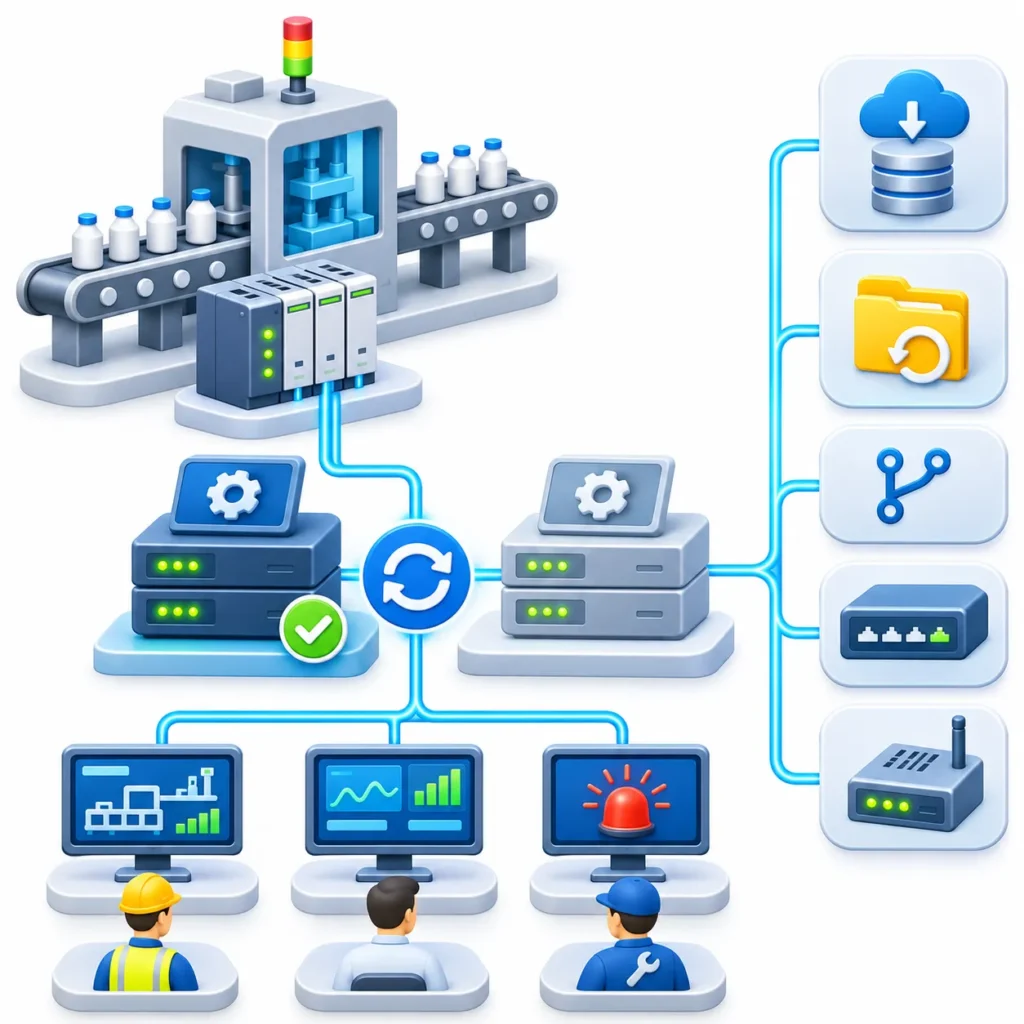
A monitoring system that goes down during a failure creates its own downtime risk. Ignition supports Gateway redundancy, where a Master and a Backup node synchronize configuration. If the Master fails, the Backup takes over. Per the documentation, addresses for OPC UA and database connections must resolve from both nodes.
Other resilience measures worth evaluating:
- Regular Gateway backups and tested restores
- Version-controlled project exports
- Network monitoring for PLC and switch health
- Edge Gateways near critical machines where central connectivity is unreliable
Redundancy adds cost and configuration effort, so apply it where the cost of SCADA downtime justifies it.
Example: A Packaging Line with Recurring Micro-Stops
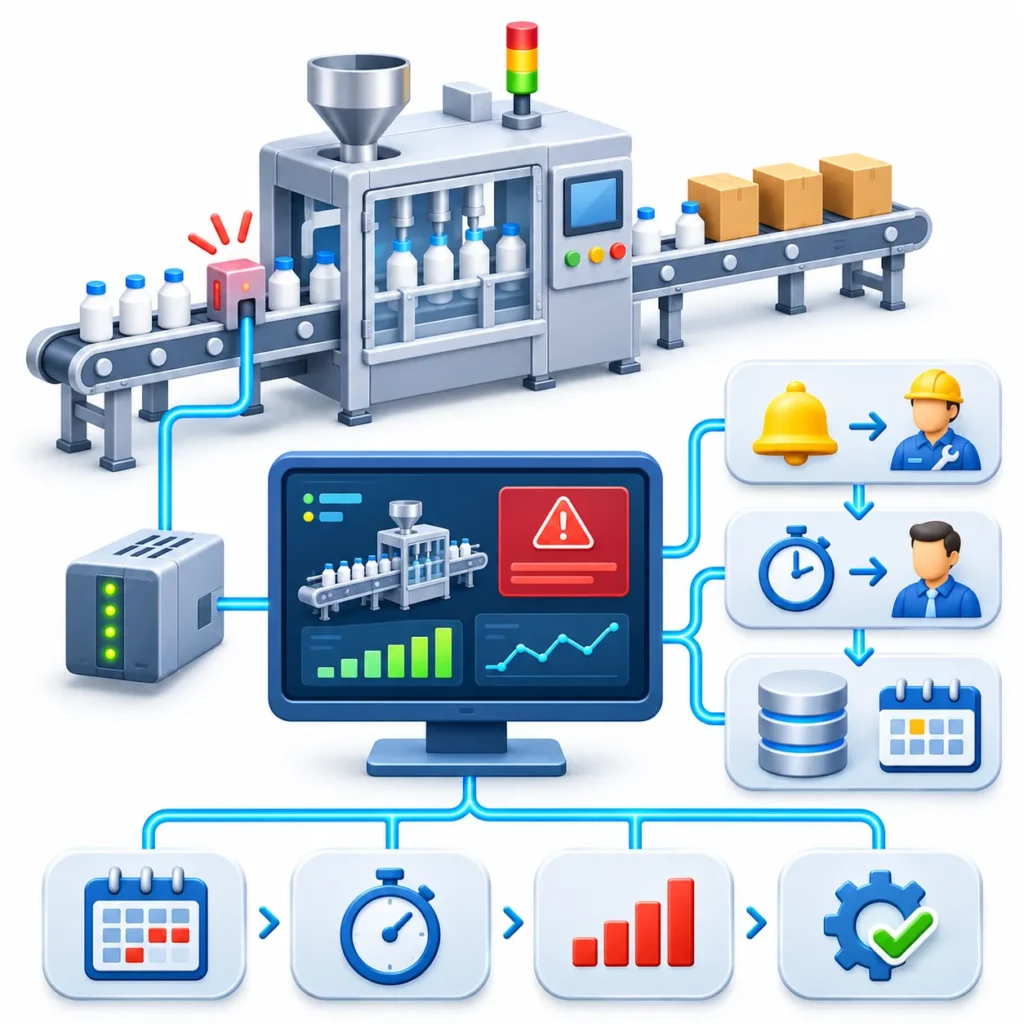
Example (hypothetical): A packaging plant has a filling line that stops several times per shift for short periods. Operators clear the jam and restart, and nothing is recorded.
Current problem: Maintenance hears about stops late, and no one can say which stops are most common.
Ignition approach:
- Bring the filler’s state, fault code, and production count into tags.
- Create a high-priority alarm for line stops lasting longer than a defined time.
- Set a pipeline that notifies the shift technician, then escalates to the supervisor if unacknowledged.
- Store fault events and states in a database via the alarm journal and tag history.
Data collected: Stop timestamps, durations, and fault codes by shift.
Possible finding: Most stops trace to one infeed sensor fault. Maintenance replaces or realigns the sensor and re-checks the data.
The improvement here comes from the combination of faster response and root-cause data. The numbers above are illustrative, so any real project should measure its own baseline first.
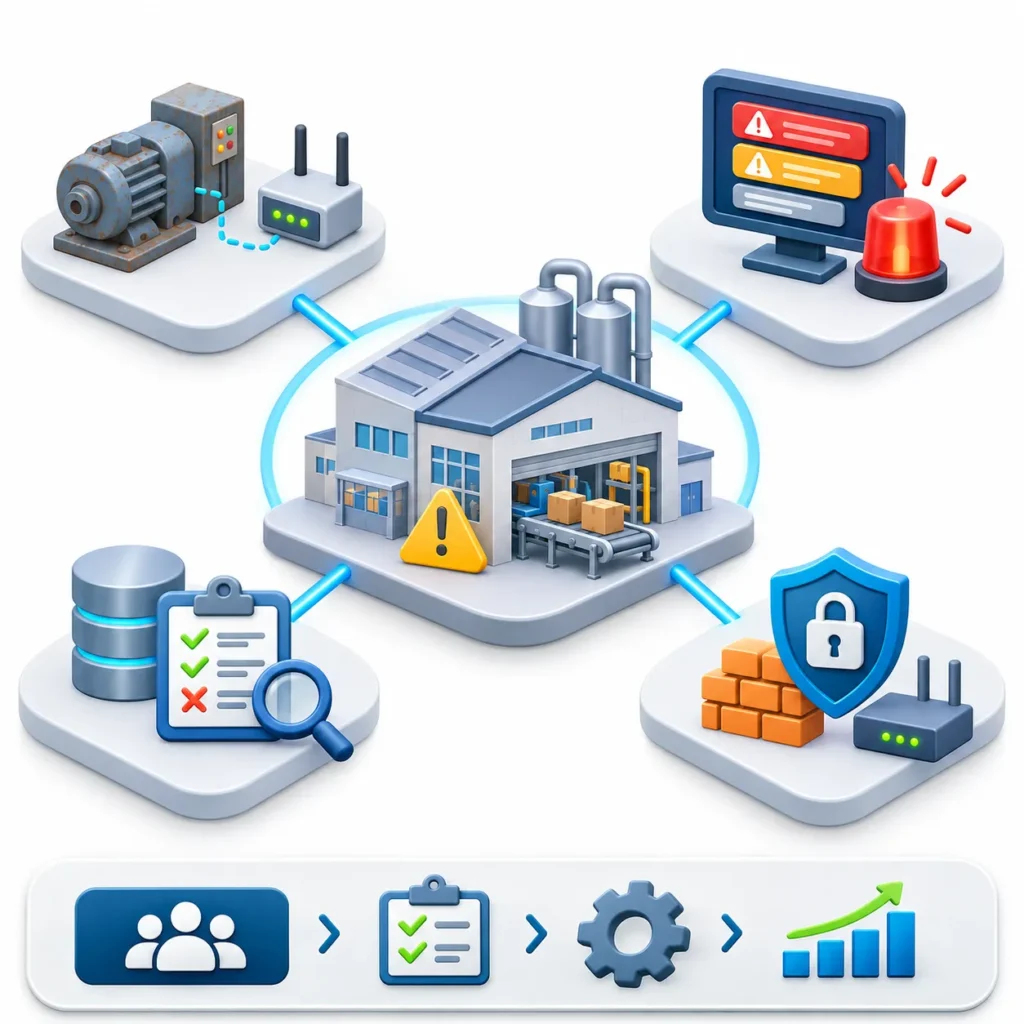
What SCADA Can and Cannot Do for Downtime
Capability | What Ignition SCADA Helps With | Limitation |
Detection | Real-time state, alarms, comms status | Only as good as the tags and PLC data available |
Response | Notification, escalation, rosters | Needs defined human ownership |
Root cause | Alarm and tag history | Often needs operator reason codes |
Prevention | Trend review, repeat-fault analysis | Predictive maintenance needs good data and often additional analytics |
Resilience | Redundancy, Store and Forward | Adds cost and design effort |
Common Challenges
- Legacy equipment: Older machines may expose limited data, requiring gateways, sensors, or PLC changes.
- Alarm overload: Poorly planned alarms can reduce, rather than improve, response.
- Data quality: Inconsistent naming, missing fault codes, and unreliable sensors weaken analysis.
- Cybersecurity: Connecting OT systems to notification services and remote access needs careful network and access design.
- Adoption: Operators must trust the system and understand what is expected of them.
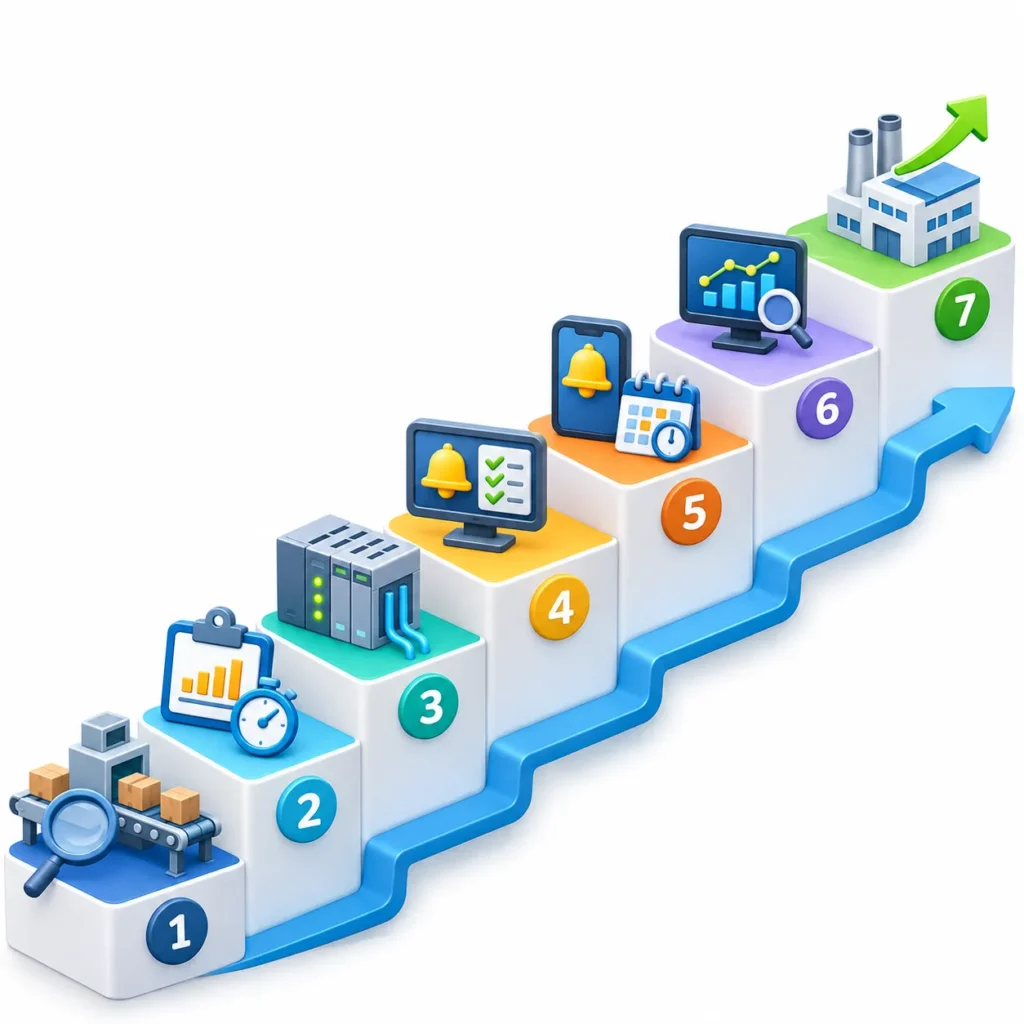
A Simple Starting Framework
- Pick the worst bottleneck. Choose one line or asset class with costly, frequent stops.
- Measure the baseline. Record current stop frequency and duration, even manually.
- Connect the data. Bring in states, fault codes, and counts.
- Rationalize alarms. Keep only those that require action, and assign priorities.
- Set up notification and escalation. Match them to real shift and roster structures.
- Review weekly. Examine repeat stops and adjust alarms and maintenance plans.
- Scale gradually. Expand to other lines once the first one proves useful.
Conclusion
Ignition SCADA reduces unplanned downtime mainly by shortening detection and response, then giving maintenance the history to eliminate repeat causes. The benefit depends on the basics: reliable machine data, a disciplined alarm design, and clear ownership of each alert. Without those, faster notifications simply deliver noise faster.
Plants weighing this approach should start with one costly line, measure current stop behavior, and check what data their PLCs can already provide. For teams assessing Ignition for downtime reduction, INGSOL typically begins by mapping machines, available data, and response workflows before configuring alarms or notifications.
Contact our Ignition SCADA specialists directly:
Email: sales@ingsol.com
Phone (India): +91 95608 11774
Phone (US): +1 347 570 2629
Our engineers will review your current setup and outline a practical upgrade path built for your plant.